Forum Discussion

UPDATE: SharePoint Online team sites + Office 365 Groups moving beyond First Release
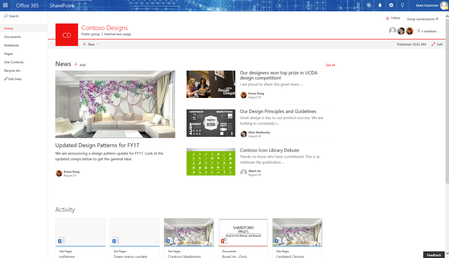

I've been tring to create secondary libraries and the navigation is not consitant. Its a complete show stop issue for our work so we have to give up on Office 365 Groups until there is a consitant navigation and branding.

- Mark-KashmanJan 26, 2017Former EmployeeAlways interested in UI/UX deeback. Can you be more specific to the areas where you get lost? Navigating within SharePoint, or from app to app - i.e. shared calendar to group's files?
- Mark- Brent EllisJan 26, 2017Silver Contributor
That is easy:
- In SharePoint it is not intuitive to find the other products (the link to go back to Group conversations is there), but trying to find the Group calendar, or Files tab, or planner - you have to click the site title for the navigation box to show up
- In the Calendar, sometimes you end up just looking at the calendar and lose the actual Groups navigation
- In the Notebook, you can only go back to the SharePoint site, not anything else, so you end up making multiple hops if you want to go from one to another
- Outlook is missing Planner
- In SharePoint, if you click on the "Files" option it takes you to the Shared Documents library, NOT the new Files tab
- In SharePoint, no option to navigate to Planner
- There is no solid entry point to Groups - having an interface that shows (1) all groups you are a member of and (2) maybe a quick link to each service would be ideal, then we could tell users "you can get there a million ways, but here is a logical entry point for Groups as a destination"
Bottom line, the Groups navigation should be the same across the board so the user can quickly move between workloads. Our users are confused as hell
I just created a User Guide for our users and had to include this slide:
 Tejas MehtaJan 30, 2017
Microsoft
Thanks Brent! You have called out an area where we clearly have room for improvement. :)
There is some work in-flight already, the first of which is introducing a common 'Group Card' that each workload will use and will surface intra-group navigation, among other things.
We also have an effort underway where we are actively looking at opportunities to drive better 'coherence' across Office 365 Groups and navigation is one of the core topics we are exploring currently. We can share more details once we've landed on a model that works well across all group workloads.

