Forum Discussion

UPDATE: SharePoint Online team sites + Office 365 Groups moving beyond First Release
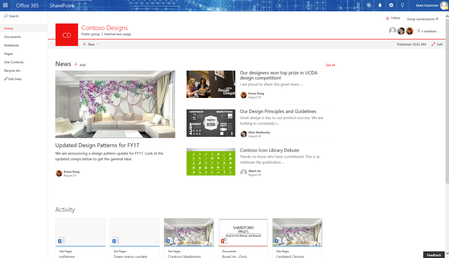

I created the site via Sharepoint online portal. It is labeled a "Private group". Group creation is enabled, we have been able to create groups in the past with a unique email attached to them.
I got an email after creating it containing this:
<Group Name>
Private group 2 Members
Welcome to the <Group Name group.
<Group Name>'s sharepoint site
Take part in conversations
Engage with your group using Outlook.
View and share files
View, edit, and share all group files, including email attachments.
Share notes
Capture ideas and images in OneNote.
Check out the team site
Discover, share, and collaborate on content in SharePoint.

 Microsoft
Ok great! That looks like the welcome email for an Office 365 Group, and should mean that the mailbox is already there for you to use. Are you able to click on 'Conversations' from the team site? Or can you navigate directly to the Group's mailbox from the welcome email?
- DeletedOct 23, 2017
Yes, I was able to get there from the "Conversations" tab, however the email address does not seem to accept emails from people outside of the organization.
- Tejas MehtaOct 23, 2017
If you are the group owner, try going to the group mailbox, and 'Edit group' from the group's header. You should see an option to let people outside the organization email the group:
- DeletedOct 23, 2017
Ah, I see, thanks!