Forum Discussion

Trying to use Lists as a very basic CRM but having search issues

Hello
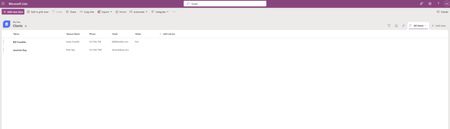
The search issue you're hitting is actually a known limitation of Microsoft Lists rather than anything you've misconfigured. The built-in search bar mainly covers the Title column and a few full-text indexed fields. Custom columns like Spouse Name tend to get skipped regardless of whether you've indexed them. Column indexing in Lists helps with filter and sort performance, not with what the search bar actually looks at.
Rob's suggestion of using Power Apps as a front end is the right technical fix. A canvas app sitting over your SharePoint list lets you search across any column you want. And honestly, it's more approachable than it sounds. When you create an app directly from a List, Power Apps auto-generates a browse/edit/detail screen for you and you're already most of the way there. You'd just update the search logic to cover first name, last name, and spouse name together.
One thing worth thinking about though: once you start layering Power Apps on top of Lists to get search, filtered views, and call notes working properly, you're essentially building what a lightweight CRM already does out of the box. HubSpot's free tier handles exactly your workflow, client records, call notes, contact history, and multi-field search, with no build required and free for your whole team.
For a small business where receptionists are doing lookups on every incoming call, the day-to-day difference is pretty significant. We help small businesses figure out which path makes more sense for their setup.
Happy to answer questions if that's useful.