Forum Discussion

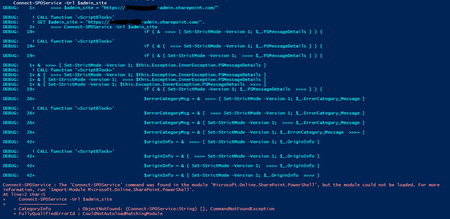
The 'Connect-SPOService' command was found in the module, but the module could not be loaded.

I'm in the same boat - the only difference being that my Powershell is later. Has a solution been identified??
PS C:\Windows\system32> Install-Module Microsoft.Online.SharePoint.PowerShell -force
PS C:\Windows\system32> Connect-SPOService -Url https://eldertech-admin.sharepoint.com -credential icook@eldertech.com.au
Connect-SPOService : The 'Connect-SPOService' command was found in the module
'Microsoft.Online.SharePoint.PowerShell', but the module could not be loaded. For more information, run 'Import-Module
Microsoft.Online.SharePoint.PowerShell'.
At line:1 char:1
+ Connect-SPOService -Url https://eldertech-admin.sharepoint.com -crede ...
+ ~~~~~~~~~~~~~~~~~~
+ CategoryInfo : ObjectNotFound: (Connect-SPOService:String) [], CommandNotFoundException
+ FullyQualifiedErrorId : CouldNotAutoloadMatchingModule
PS C:\Windows\system32> Get-Module -Name Microsoft.Online.SharePoint.PowerShell -ListAvailable | Select Name,Version
Name Version
---- -------
Microsoft.Online.SharePoint.PowerShell 16.0.21909.12000
Microsoft.Online.SharePoint.PowerShell 16.0.21811.12000

IanCook_Blue Hi Ian, I switched to https://docs.microsoft.com/en-us/powershell/module/sharepoint-pnp/?view=sharepoint-ps, works a lot better for me.