Forum Discussion

Stuck in Classic Mode
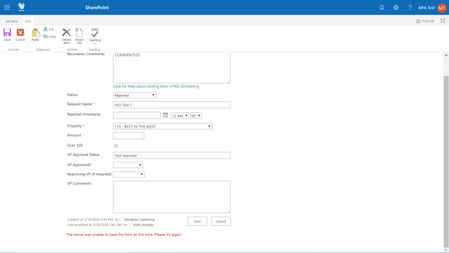

Hi Sudharsan K
I just clicked "Exit Classic Experience," nothing happened so I waited a minute then clicked it again, still nothing. I opened the dev tools console and entered GoToModern(true) and hit enter, but "undefined" appears under it and the page just refreshed, but still in classic mode. Am I using the console incorrectly?

Any chance of trying the same on the 'Site Contents' page as mentioned in my reply. Please let me know.
 JamesB1981Feb 01, 2022Copper Contributor
morghandc I had the same issue, and found out that my customer was in a restricted view security group. I placed them in a group that had Read, Submitter access, and the customer was able to view my form without an issue in New Experience view.
- morghandcAug 18, 2020Brass Contributor
Hi dbannister_jr - I have not received a resolution to this yet. I am submitted a case with Microsoft and will update this thread once I have a resolution.
Thank you,
Morghan
 dbannister_jrAug 18, 2020Copper Contributor
morghandc Did you ever figure this out? I'm having this issue with an actual user now.
- morghandcApr 28, 2020Brass Contributor
Hi Sudharsan K -
I logged in as myself (Admin), navigated to Site Contents and executed GoToModern(true) but I am seeing errors in the console:
I then logged in as the "MFA Test" user but its still stuck in Classic mode. I cleared cache to no avail. When I click "Exit Classic experience," the page reloads but its still in Classic mode. See errors in console below:
As soon as I log back in as my Admin user, it is in Modern experience immediately. Any other ideas?
I appreciate your help on this,
M
- Sudharsan KApr 21, 2020Iron ContributorHi, Just login to use who has access to site contents and try the command that i mentioned in previous reply in the browser console.
- morghandcApr 20, 2020Brass Contributor
- morghandcApr 13, 2020Brass Contributor
- morghandcApr 13, 2020Brass Contributor
Hi Sudharsan K - when logged in as the "mfa" test user, I do not have Site Contents as an option where I expect. This user is NOT an admin in our tenant, but does have Edit rights to this site...