Forum Discussion

Stuck in Classic Mode
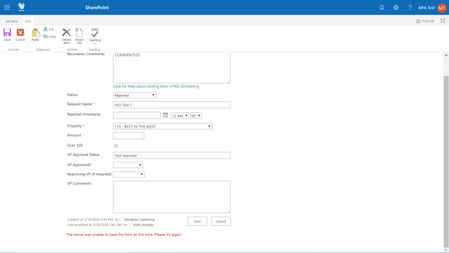

sometimes clicking on the 'Exit Classic Mode' doesn't do anything, wait for a min and then click again, sure it works. If that doesn't work, open the browser console and execute the following method.
GoToModern(true)
Hope it helps, please like it or mark it as a solution if it resolves ur clarification or issue
-Sudharsan K...

Hi Sudharsan K
I just clicked "Exit Classic Experience," nothing happened so I waited a minute then clicked it again, still nothing. I opened the dev tools console and entered GoToModern(true) and hit enter, but "undefined" appears under it and the page just refreshed, but still in classic mode. Am I using the console incorrectly?
 JamesB1981Feb 01, 2022Copper Contributor
morghandc I had the same issue, and found out that my customer was in a restricted view security group. I placed them in a group that had Read, Submitter access, and the customer was able to view my form without an issue in New Experience view.
- morghandcAug 18, 2020Brass Contributor
Hi dbannister_jr - I have not received a resolution to this yet. I am submitted a case with Microsoft and will update this thread once I have a resolution.
Thank you,
Morghan
 dbannister_jrAug 18, 2020Copper Contributor
morghandc Did you ever figure this out? I'm having this issue with an actual user now.
- morghandcApr 28, 2020Brass Contributor
Hi Sudharsan K -
I logged in as myself (Admin), navigated to Site Contents and executed GoToModern(true) but I am seeing errors in the console:
I then logged in as the "MFA Test" user but its still stuck in Classic mode. I cleared cache to no avail. When I click "Exit Classic experience," the page reloads but its still in Classic mode. See errors in console below:
As soon as I log back in as my Admin user, it is in Modern experience immediately. Any other ideas?
I appreciate your help on this,
M
- Sudharsan KApr 21, 2020Steel ContributorHi, Just login to use who has access to site contents and try the command that i mentioned in previous reply in the browser console.
- morghandcApr 20, 2020Brass Contributor
- morghandcApr 13, 2020Brass Contributor
- morghandcApr 13, 2020Brass Contributor
Hi Sudharsan K - when logged in as the "mfa" test user, I do not have Site Contents as an option where I expect. This user is NOT an admin in our tenant, but does have Edit rights to this site...
- Sudharsan KApr 12, 2020Steel ContributorHi,
Any chance of trying the same on the 'Site Contents' page as mentioned in my reply. Please let me know. - Sudharsan KApr 10, 2020Steel ContributorHi,
Sorry forgot to mention, navigate to the classic 'Site Contents' page and then open the browser console and execute that method.