Forum Discussion

Sorry, something went wrong: can't load the application on this page
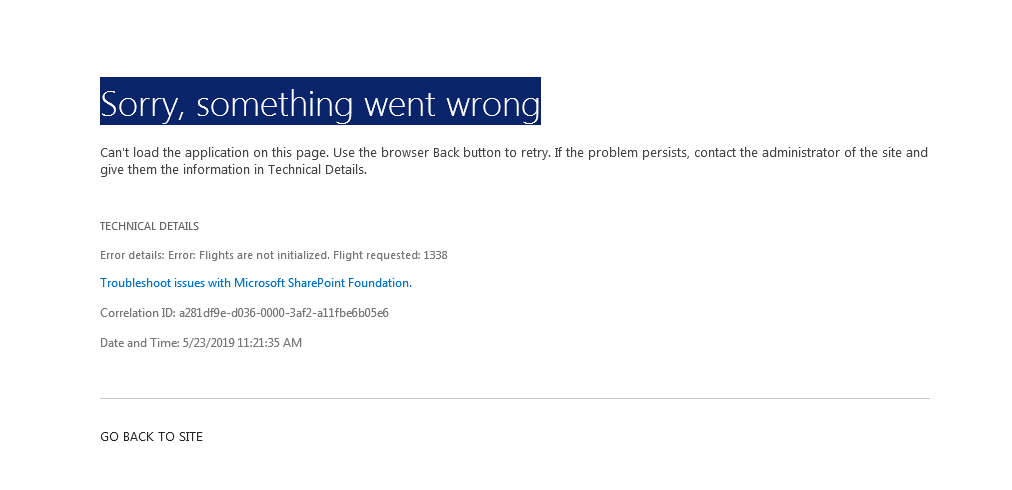

The user is using a Page Viewer web part to display a page from a Modern SP Team Site on a classic SharePoint publishing page. The error is only showing up in IE11, the iframe is working fine in Chrome.
I noticed if you switch the IE11 Document Mode emulator to Edge and reload the page this resolves the issue.
Chih-Ang - is your error only showing up in IE?
This method was working fine in IE and Chrome up until a couple of weeks ago.
 Chih-Ang LinJul 02, 2019Brass Contributor
Colin StegerFrom what I could deduct, after spending some time with the end user who was experiencing the issue, it would appear to be browser and/or operating system (OS) related. Until I was able to conduct a Skype screen sharing session with the end user, I was not aware that the person in question had Windows 7 and IE10 on their machine. After I cleared the end user's IE10 cache and reset the browser settings, IE10 still displayed the same error. However, Chrome started to work after the reset. It is also worthwhile to note that the end user in question had many legacy applications that depends on Windows 7 and/or IE10 so that is why they never upgraded their machine like the rest of the enterprise. I also suspect that the end user may be missing some updates on their machine, which could have also contributed to the issue at hand.
 MichaelMartin1Jul 02, 2019Copper Contributor
Colin Steger Colin Steger I have the same issue trying to display a news page on a SharePoint page - any ideas on how to correct?
- Colin StegerJul 15, 2019Brass ContributorMichaelMartin1 are you using a custom master page on your site? I traced the issue back to a line of code in our master page that was forcing the pages within that site collection to open in IE10 doc mode.
<meta http-equiv="X-UA-Compatible" content="IE=10" />
Changing this to Edge seemed to have resolved the issue <meta http-equiv="X-UA-Compatible" content="IE=Edge" />- VooisSep 06, 2019Copper Contributor
Hi was this issue ever solved? We've got the exact same situation.
It just doesn't load the modern Sharepoint pages. The older ones are working just fine.
The issue occurs in Chrome, IE, FF and Edge.