Forum Discussion

JillAcosta
Feb 10, 2020Copper Contributor
Silly Q - Accidentally Hid the Toolbar
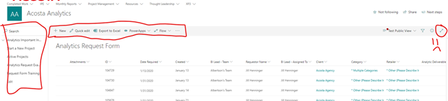
I have used SharePoint for something like 12 years. A long time. And I've gone and done something I can't figure out how to undo. I had a user accidentally hide their toolbar on a list. I easily figu...

Pbala
Feb 10, 2020Tin Contributor
I have the same issue, one user accidentally clicked the expand content icon. Now Command bar is not visible. Works in IE but no in Chrome ( he clicked on Chrome). breaking my head for last 4 hours.
- Feb 10, 2020In Chrome settings, go to Clear Browsing Data > Clear "Site Settings"
Close all browser windows and re-open.
This should fix Chrome/Chromium. You can technically drill down and clear the site settings just for "sharepoint.com" as well.- PbalaFeb 10, 2020Tin Contributor
