Forum Discussion

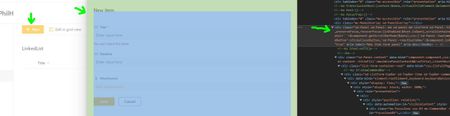
SharePoint online when I click "New" item button in a SPO list, I want to use Detail panel
- Aug 04, 2022
PhilHDemo Are using any classic experience column in your list like Location/Geolocation, etc.?
Using classic experience columns might force list forms to open in classic experience.
Also, did you activate SharePoint OOTB approval flow or using power automate approvals? If SharePoint OOTB flow, check if this feature added any columns in list.
Also make sure Modern experience is selected for your list from List settings > Advanced settings.
Please click Mark as Best Response & Like if my post helped you to solve your issue. This will help others to find the correct solution easily. It also closes the item. If the post was useful in other ways, please consider giving it Like.

PhilHDemo Are using any classic experience column in your list like Location/Geolocation, etc.?
Using classic experience columns might force list forms to open in classic experience.
Also, did you activate SharePoint OOTB approval flow or using power automate approvals? If SharePoint OOTB flow, check if this feature added any columns in list.
Also make sure Modern experience is selected for your list from List settings > Advanced settings.
Please click Mark as Best Response & Like if my post helped you to solve your issue. This will help others to find the correct solution easily. It also closes the item. If the post was useful in other ways, please consider giving it Like.