Forum Discussion

SharePoint Online share feature won't auto-complete Groups
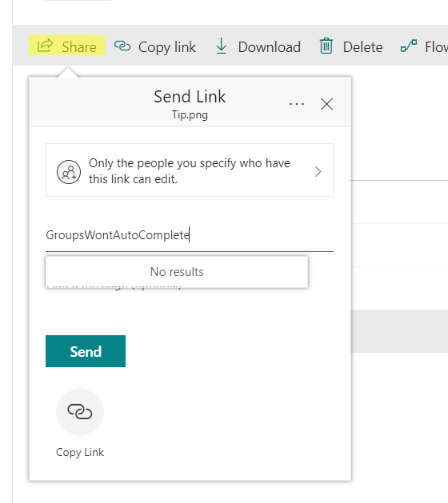

Seems to work fine here, I get results for either the Display Name of the Group/Team or the primary SMTP address. It seems to work too good even, as it surfaces some hidden/system mailboxes :)
 Julian OrangeSep 13, 2018Copper Contributor
Thanks Vasil,
That is promising and led me to have a closer look. The groups types I was using that do not auto-complete in SharePoint's primary share screens are;
- "SharePoint Groups" at the site collection level
- and "Office 365 security groups".
- Synchronized AD security groups
- Office 365 distrubution lists
The following types of groups do auto-complete in the primary sharing screens of Sharepoint
- Office 365 Groups
- Office 365 Mail enabled security groups
I'm not sure why this is inconsistent or whether it is configurable but I have a way forward by choosing the type that works. For the types that work only via information panel \ manage access there are differences too - in whether the person is notified of the share or not.
Thanks
Julian
- VasilMichevSep 14, 2018MVP
That's the expected behavior, SharePoint's sharing functionality requires both email (to send the invite) and security-enabled object (so that permissions can be stamped on it), thus it only works with mail-enabled security groups and now Office 365 Groups.
 Anders ErikssonSep 14, 2018Copper Contributor
The strange thing is that it used to work and suddenly stopped, at least for us and our customers tenants. I could previously get autocomplete for Office 365 groups when sharing from SharePoint but not anymore.