Forum Discussion

Carl_Williams
Dec 30, 2020Iron Contributor
SharePoint Online Management Shell Not Doing Anything
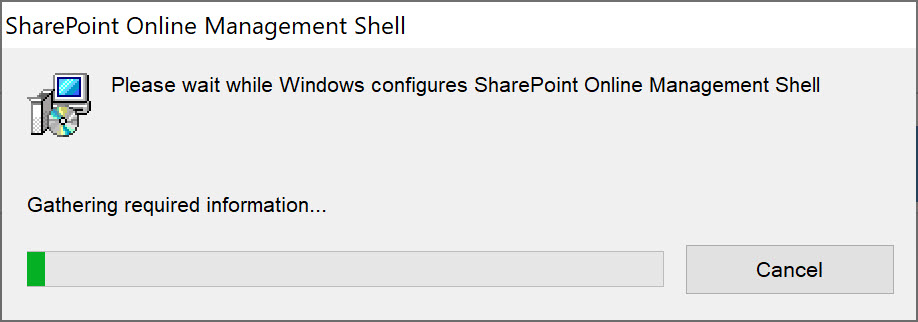
I can't run SPO Management Shell. It opens but just a black screen, no prompt I can't delete it from my Win10. It just sits there saying "Gathering Information. In short, SPO Management Shell h...


Dec 30, 2020
Rather than using the MSI installer, use `Install-Module` and install it from the PowerShell Gallery.
https://www.powershellgallery.com/packages/Microsoft.Online.SharePoint.PowerShell/
This method is preferred as it is easier to keep up to date.
https://www.powershellgallery.com/packages/Microsoft.Online.SharePoint.PowerShell/
This method is preferred as it is easier to keep up to date.
 Carl_WilliamsJan 09, 2021Iron Contributor
Trevor Seward Apparently SharePoint Online PowerShell is not so powerful after all.
- I don't see it in apps to uninstall so I cane do a clean install

- I cant use the msft 'Program Uninstaller' because it can't see it either and is asking for some 123232-123343-233434-2 product code
- Therefore can't uninstall it because it's f'd up in the registry somewhere. EXCELLENT
- So how do I feel about msft stuff? [this is putting it very very very euphemistically]
2 MONTHS TRYING TO UPDATE MY SITES AND 99% OF THE TIME IS SPENT FIXING THIS FIXING THAT REPARING THIS TRYING TO FIGURE OUT THIS OR THAT, THIS IS BROKEN THIS OR THAT ONLY WORKS IF ITS A TUESDAY WITH A FULL MOON. 1% TIME SPENT ACTUALLY DOING SOMETHING CONSTRUCTIVE.
PLEASE OH PLEASE GOD ENSURE MSFT SEES THIS POST.
- Jan 12, 2021Well, again, use Install-Module instead of the MSI. Modules installed via Install-Module will not appear in Add/Remove Programs.
Unfortunately I can't fix your Windows Installer issues, but there are _so_ many reasons that any one MSI may fail to install [properly] that isn't specific to the MSI being installed.
Generally when I start seeing systemic issues on a _client_ machine like this, it's easier to pave and rebuild.
- I don't see it in apps to uninstall so I cane do a clean install
- Carl_WilliamsJan 09, 2021Iron Contributor
Trevor Seward Thanks Trevor.
I'm really a newbee with PowerShell stuff and haven't used this type of interaction/input since DOS so had no idea. Not everyone in the world has unlimited time and desire to try and sift through the reams and reams of msft fluffy documentation.
I will definitely try this.
CW