Forum Discussion

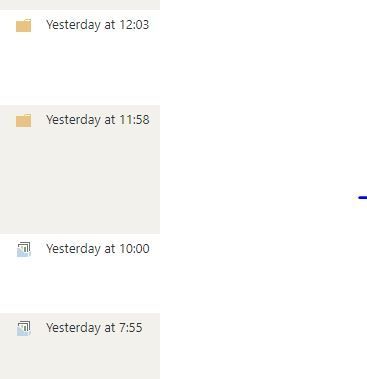
SharePoint Online JavaScript creates folder instead of document set
- Jan 18, 2021
This issue seems to be due to some changes in SharePoint Online after 12th January.
To fix this issue: use the list.contentTypeID instead of web.ContentTypeID.
Change your code like this:
var docSetContentTypeID = '<The list DocumentSet contentTypeID>';
currentDate = new Date().getFullYear();
ctx.load(list);
folderUrl = "dummy" + currentDate;
var folder = web.getFolderByServerRelativeUrl(folderUrl);
ctx.load(folder);
//use list.get_contentTypes()
var docsetContentType = list.get_contentTypes().getById(docSetContentTypeID);
ctx.load(docsetContentType);
Check more information in below related threads:
- SharePoint Online JavaScript creates folder instead of document set
- Document Set created programmatically not working anymore since 12 Jan 2021
Please click Mark as Best Response if my post helped you to solve your issue. This will help others to find the correct solution easily. It also closes the item. If the post was useful in other ways, please consider giving it Like.

This issue seems to be due to some changes in SharePoint Online after 12th January.
To fix this issue: use the list.contentTypeID instead of web.ContentTypeID.
Change your code like this:
var docSetContentTypeID = '<The list DocumentSet contentTypeID>';
currentDate = new Date().getFullYear();
ctx.load(list);
folderUrl = "dummy" + currentDate;
var folder = web.getFolderByServerRelativeUrl(folderUrl);
ctx.load(folder);
//use list.get_contentTypes()
var docsetContentType = list.get_contentTypes().getById(docSetContentTypeID);
ctx.load(docsetContentType);
Check more information in below related threads:
- SharePoint Online JavaScript creates folder instead of document set
- Document Set created programmatically not working anymore since 12 Jan 2021
Please click Mark as Best Response if my post helped you to solve your issue. This will help others to find the correct solution easily. It also closes the item. If the post was useful in other ways, please consider giving it Like.
 spdev2013Jan 18, 2021Copper ContributorIt worked. Thankyou