Forum Discussion

Muhammad Farhan
Feb 14, 2018Copper Contributor
SharePoint Online Global Navigation
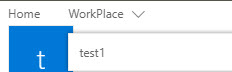
In SharePoint Online, Global Navigation in New List Experience is not behaving same as in Classic Mode. There are two issues.
1) Links are opening in New Tabs.
2) Links are not shown highlighted when we land on the corresponding List view.
How to customize it?
- Short answer: you cannot customize default navigation in the modern experience. What you can do is just to create a SPFx extensions that implements your navigation in the way you want


3 Replies
- Short answer: you cannot customize default navigation in the modern experience. What you can do is just to create a SPFx extensions that implements your navigation in the way you want
 Muhammad FarhanCopper Contributor
Can you share any link of tutorial for this?