Forum Discussion

Ahanney
Jun 30, 2023Tin Contributor
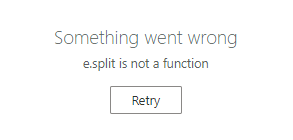
Sharepoint Online error when editing a listitem e.split is not a function
Hello, am having a issue with a list that is used on a daily basis by a team of people. We discovered the other day we can no longer make edits (I am the admin of the site and others with edit rights...
 Nov 06, 2024
Hello Ahanney, I'm sure you have solved this a long time ago, but for others who may come by this thread... I encountered this very issue today and, in my case, it was a brand-new list created from an Excel document. I had several columns that I set the type to be Choice. The import did a good job at keeping the values but did not populate the choices. Once I set all the choice options for all the choice columns this problem went away. So, check your choice column settings or possibly any special columns you may have as they are likely the source of the problem. Good Luck!

Lalit Mohan
Jun 30, 2023Iron Contributor
Hi Ahanney
To fix the "e.split is not a function" error in SharePoint Online when editing a list item, you can try these steps:
1- Clear your browser cache.
2- Use a different web browser.
3- Disable browser extensions.
4- Update your browser to the latest version.
5- Test on a different machine.
6- Check for recent SharePoint updates.
7- Try editing the item using SharePoint Designer.
8- Contact Microsoft Support if the issue persists.
Remember to back up your data before making any changes or seeking support.
To fix the "e.split is not a function" error in SharePoint Online when editing a list item, you can try these steps:
1- Clear your browser cache.
2- Use a different web browser.
3- Disable browser extensions.
4- Update your browser to the latest version.
5- Test on a different machine.
6- Check for recent SharePoint updates.
7- Try editing the item using SharePoint Designer.
8- Contact Microsoft Support if the issue persists.
Remember to back up your data before making any changes or seeking support.
 AhanneyJul 03, 2023Tin ContributorThanks. Yes I'm basically at option 8 in the list.