Forum Discussion

Silas_Muth
Jul 27, 2022Brass Contributor
SharePoint Online - Office Graph error message
Hello Everyone, a user from our company have a problem at the sharePoint start site. She get the following error Message: "this is a limited version of the page because Office Graph is disabled. Mo...
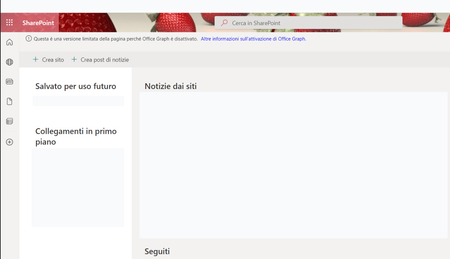
 Mar 07, 2023Hello,
after a long time and remain persistent, the MS Support told me a solution for this problem.
You have to go to the SharePoint Admin Center -> more functions -> User profiles -> Manage User profiles -> search for the user name -> edit my profil
And now you can activate the check box (OfficeGraphEnabled) at the bottom of the site.
Silas_Muth
Mar 07, 2023Brass Contributor
Hello,
after a long time and remain persistent, the MS Support told me a solution for this problem.
You have to go to the SharePoint Admin Center -> more functions -> User profiles -> Manage User profiles -> search for the user name -> edit my profil
And now you can activate the check box (OfficeGraphEnabled) at the bottom of the site.
after a long time and remain persistent, the MS Support told me a solution for this problem.
You have to go to the SharePoint Admin Center -> more functions -> User profiles -> Manage User profiles -> search for the user name -> edit my profil
And now you can activate the check box (OfficeGraphEnabled) at the bottom of the site.
 Dominique_Bosa1030Mar 15, 2023Tin ContributorThanks! It worked for me because I'm lucky enough to have access to the Sharepoint admin center. End users don't have it. But it seems to be a bug, because it happens when the end user unchecks an option in Delve, and then wants to revert. It is not possible to go back to the original situation by changing the same option again. That's why I think Microsoft should fix this in Delve, without forcing the end user to call an administrator.