Forum Discussion

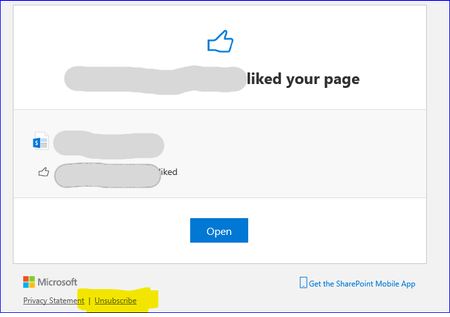
SharePoint Online - How to re-subscribe likes and comments email notifications
 Feb 03, 2021
Returning back after deep diving into SP depths.
Notification unsubscriptions are stored in each user's personal site (OneDrive) under hidden list named as "notificationSubscriptionHiddenList6D1E55DA-2564-4A22-A5F9-6C4FCAFF53DE"
Unsubscribing likes adds SubscriptionId "email_unsubscribe_Like" to the list which then blocks like notifications
Unsubscribing likes adds SubscriptionId "email_unsubscribe_Comment" to the list which then blocks comment notifications
Removing each line reactivates notifications on the specific type of notification
URL for this list is in format of
https://[tenant]-my.sharepoint.com/personal/[user_name_domain_here]/Lists/notificationSubscriptionHiddenList6D1E55DA25644A22/AllItems.aspx
Wrote short PowerShell to remove this for a single user
Connect-PnPOnline -Url https://[tenant]-my.sharepoint.com/personal/[user_name_domain]
$ListName = "notificationSubscriptionHiddenList6D1E55DA-2564-4A22-A5F9-6C4FCAFF53DE"

$listItems= (Get-PnPListItem -List $ListName -Fields "Title","SubscriptionId","GUID")
foreach($listItem in $listItems){
   Write-Host "SubscriptionId" : $listItem["SubscriptionId"]
   if($listItem["SubscriptionId"] -eq "email_unsubscribe_Like") { # remove unsubscribe
       Remove-PnPListItem -Identity $listItem.Id -List $ListName -Confirm $false
Write-Host "Removed likes unsubscription!"
   }

}
Additional info on these hidden lists can be found here: https://docs.microsoft.com/en-us/sharepoint/export-odfb-lists

anyone got a solution for this?
Regards,
Marius
Comment notifications can be re-subscribed from OneDrive-settings through gear -> OneDrive settings -> Email notification when others comment on my documents.
Not the most obvious place to control communication site comment notifications but there it is.
But unfortunately have not yet figured out where likes could be controlled so that still remains a mystery...
- Kim BlombergFeb 03, 2021Brass Contributor
Returning back after deep diving into SP depths.
Notification unsubscriptions are stored in each user's personal site (OneDrive) under hidden list named as "notificationSubscriptionHiddenList6D1E55DA-2564-4A22-A5F9-6C4FCAFF53DE"
Unsubscribing likes adds SubscriptionId "email_unsubscribe_Like" to the list which then blocks like notifications
Unsubscribing likes adds SubscriptionId "email_unsubscribe_Comment" to the list which then blocks comment notifications
Removing each line reactivates notifications on the specific type of notification
URL for this list is in format of
https://[tenant]-my.sharepoint.com/personal/[user_name_domain_here]/Lists/notificationSubscriptionHiddenList6D1E55DA25644A22/AllItems.aspx
Wrote short PowerShell to remove this for a single user
Connect-PnPOnline -Url https://[tenant]-my.sharepoint.com/personal/[user_name_domain]
$ListName = "notificationSubscriptionHiddenList6D1E55DA-2564-4A22-A5F9-6C4FCAFF53DE"

$listItems= (Get-PnPListItem -List $ListName -Fields "Title","SubscriptionId","GUID")
foreach($listItem in $listItems){
   Write-Host "SubscriptionId" : $listItem["SubscriptionId"]
   if($listItem["SubscriptionId"] -eq "email_unsubscribe_Like") { # remove unsubscribe
       Remove-PnPListItem -Identity $listItem.Id -List $ListName -Confirm $false
Write-Host "Removed likes unsubscription!"
   }

}
Additional info on these hidden lists can be found here: https://docs.microsoft.com/en-us/sharepoint/export-odfb-lists
- Marius_PanuschFeb 05, 2021Copper ContributorThank you Kim. This works like charm 🙂