Forum Discussion

SharePoint Online - "enter a date like this error" message
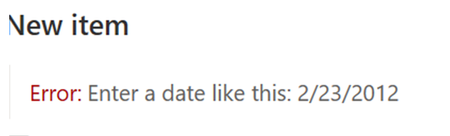

Hi guys, I think I found a solution.
We also struggled quite a lot with this issue, some users were able to enter the date, some were not no matter which browser they used or whatever browser/windows locale and language settings they had applied.
After some laborious debugging I found, that on the problematic machines, form validation requests were sent to address starting with localhost:42050 instead of XtenantX.sharepoint.com
The whole problem was a list setting hidden under "Advanced Settings -> Offline Client Availability", which as far as I can tell, somehow caches or syncs (the details are unknown to me and I don't care about them much) the list to the local computer which then results in a lot of requests heading the localhost way instead of to the Microsoft cloud servers and also the form validation was going on localhost which resulted in the date picker error message.
Strangely this synchronization was active for some users, which then had the date picker problem and for some not, which had everything working perfectly. The signalization about active sync is also not seen at all times, but can be found next to the list name:
Solution then is to just turn off the Offline Client Availability and all our users suddenly stopped having problems with the date picker validation:

Thank you so much, this worked for me! It has been bugging me for over a year, that the date picker didnt input the correct format, so the users allways had to change the date. I even tried to change my location to germany, which worked, but my automated alerts, then went out en German (we are DK based) :D so that wasnt a viable permanent change.