Forum Discussion

SharePoint Online - "enter a date like this error" message
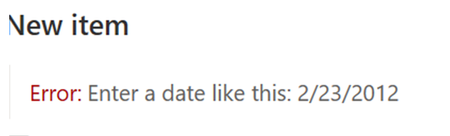

Hi guys, I think I found a solution.
We also struggled quite a lot with this issue, some users were able to enter the date, some were not no matter which browser they used or whatever browser/windows locale and language settings they had applied.
After some laborious debugging I found, that on the problematic machines, form validation requests were sent to address starting with localhost:42050 instead of XtenantX.sharepoint.com
The whole problem was a list setting hidden under "Advanced Settings -> Offline Client Availability", which as far as I can tell, somehow caches or syncs (the details are unknown to me and I don't care about them much) the list to the local computer which then results in a lot of requests heading the localhost way instead of to the Microsoft cloud servers and also the form validation was going on localhost which resulted in the date picker error message.
Strangely this synchronization was active for some users, which then had the date picker problem and for some not, which had everything working perfectly. The signalization about active sync is also not seen at all times, but can be found next to the list name:
Solution then is to just turn off the Offline Client Availability and all our users suddenly stopped having problems with the date picker validation:
 ReneTeilmannJan 29, 2025Copper Contributor
Thank you so much, this worked for me! It has been bugging me for over a year, that the date picker didnt input the correct format, so the users allways had to change the date. I even tried to change my location to germany, which worked, but my automated alerts, then went out en German (we are DK based) :D so that wasnt a viable permanent change.
 Markus vickeryMay 03, 2024Tin ContributorThanks! Solved the problem. Using Danish as SP site regional settings.
 MichaelDanoFeb 16, 2023Brass ContributorSame problem and it worked for me too! Thanks!
 Hanne_LauritzenNov 28, 2022Iron ContributorWow. I have been seeing this issue on multiple environments and only recently saw your answer. I would have never thought that this would be the problem/solution. Kudos for the deep dive debugging!
 kaaremaiFeb 09, 2023Brass Contributor
Hanne_Lauritzen The amazing thing is that this bug has been there for over a year and Microsoft doesn't fix such a huge bug messing with thousands of users around the world.
But thats the standard Microsoft way - create an amazing product and then mess up the last details making their products almost useless.
 MiaPilAug 18, 2022Brass ContributorWe tried it, and this method helped us as well 🙂
- Allan NielsenAug 18, 2022Copper ContributorSame problem and this also worked for me
- MiaPilMay 24, 2022Brass ContributorIt's definitely worth trying, but in our case - all the lists are syncronized (even for me) but it works fine when I enter dates, while others have issues. It does seem to work again temporarily when the caches are cleared, so it stille could be related to the validation request you mentioned? Definitely something we will look into.
Anyone been able to try this solution out yet?- Petr_BlahaJun 09, 2022Copper ContributorHi, I've just tried and it works.
In our case, multiple users (devices) had problem with pick the date when locale settings was set to our region. After switching to 'No' option it works fine.
I' also tried to clear cache and it helped just temporary, but after few days problem came back.