Forum Discussion

Sharepoint missing - how to get support?

Hi Michael Brooks,
What a strange issue! The best approach to opening cases and getting support is using the Support option in the admin center. Calling Microsoft for support is a challenge without a Technical Account Manager and Premium Support.
Search for similar cases, and when given the option, click Contact Support.
Then you can have them call you or send them an email.
Hope this helps!
-Rob

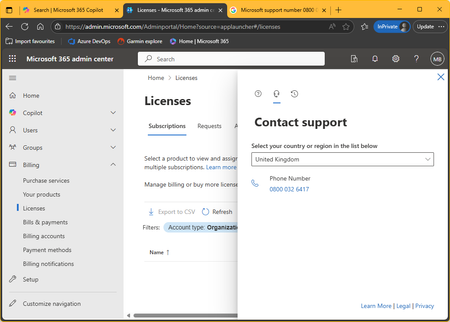
Thanks Rob, but as my screenshot of the Admin Center shows, I am only given a single option for contacting support, that being a non-existent telephone number. Whilst my screenshot shows me having approached via Licensing, I get the same if I go direct via Support in the LH menu.
Actually it's just gotten worse - I can no longer get into the Admin Center with this account. After entering my credentials, it gives the following:
If I click the "Service Request" link, the browser goes into some sort of infinite loop whereby it releatedly tries contacting the server, and eventually it gives up with a "request blocked" message.
- RobSotoJul 23, 2025Iron Contributor
That is quite bizarre. I found two more links for you that should help.
Customer service phone numbers - Microsoft Support
Let me know what happens!
-Rob
- Michael BrooksJul 29, 2025Brass Contributor
After numerous attempts I finally got someone on the consumer support team to get me through to the business support team, and I have a support ticket with them. Their best guess so far is that I was using some free licence (that much I can confirm - I've never paid for this) which for some reason expired. They're not sure what licence it was (and I don't know - I created this site years ago and I haven't needed to touch anything on the licensing side since) but they have told me that if I want SharePoint I need to pay for a Business Basic licence. I have asked whether doing so will retrieve my SharePoint site, because that's my only motive for paying. They're trying to figure that one out for me.