Forum Discussion

dwoodlinedata
Oct 23, 2019Copper Contributor
SharePoint Library View Issue
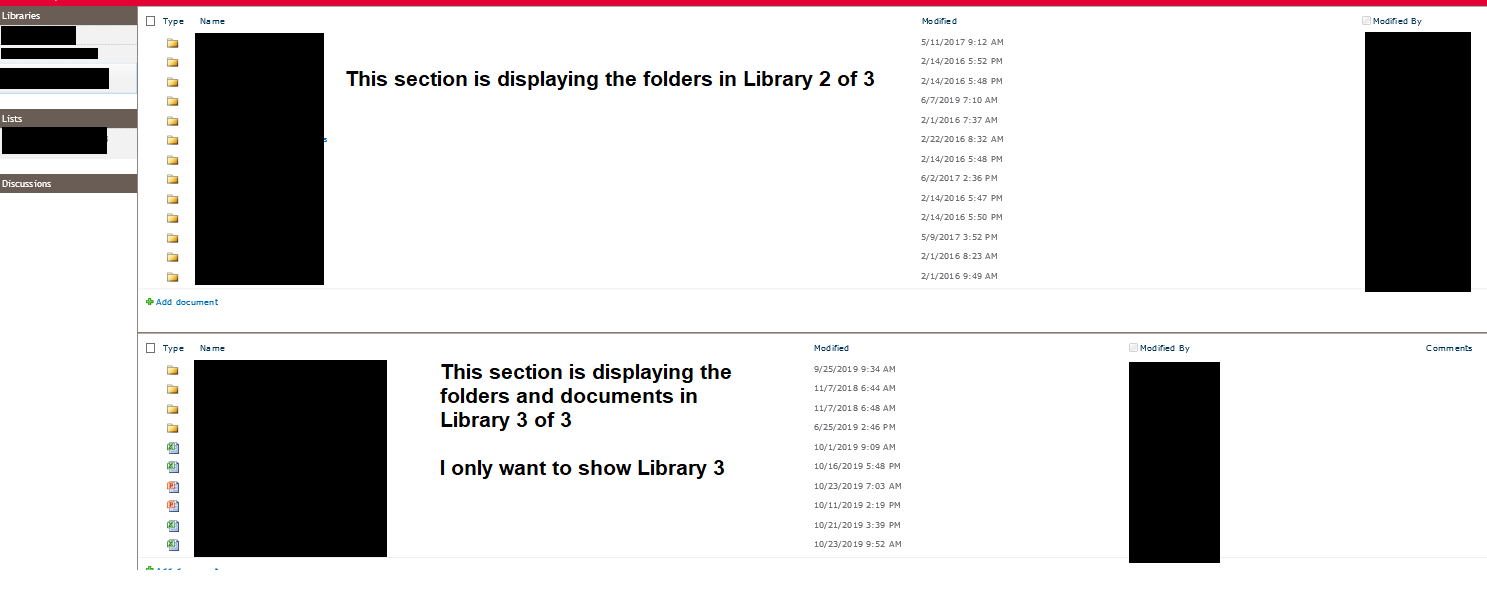
I made a change to one of my Library views and cannot return it to the original state. There are three libraries, when I select Library 1 or Library 2 I see only the folders and documents stored in t...

Oct 23, 2019
Looks like the actual view page got edited. You don't do this through view settings, but on the top (It's been awhile since I modified classic pages) but the option should be I think on the page tab at the top, and edit page, then just remove the top web part that's pointing to the other library, should be I think a little drop down arrow on top right of that part once in edit mode.
Delete the webpart (This isn't deleting the data). Save the page, button should be on top page tab, then you should be in business.
Delete the webpart (This isn't deleting the data). Save the page, button should be on top page tab, then you should be in business.