Forum Discussion

Sharepoint date restriction
- Feb 15, 2023
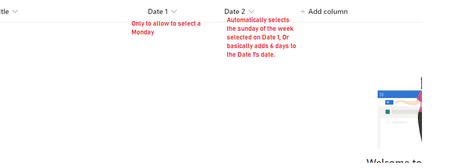
You can assign Column Validation in Date1 column by going to List Settings -> and Click on your column name i.e. Date1
=WEEKDAY([Date1])=2Using above validation user will not able to save any other date than Monday.
Now for Date2 field, instead of creating column of type Date and Time, you can create Calculated Column with following formula:
=[Date1]+6Now it will set Date2 automatically
So in this approach, you don't need any Power Automate to achieve your requirement
Hope it will helpful to you and if so then Please mark my response as Best Response & Like to help others in this community

You can assign Column Validation in Date1 column by going to List Settings -> and Click on your column name i.e. Date1
=WEEKDAY([Date1])=2
Using above validation user will not able to save any other date than Monday.
Now for Date2 field, instead of creating column of type Date and Time, you can create Calculated Column with following formula:
=[Date1]+6
Now it will set Date2 automatically
So in this approach, you don't need any Power Automate to achieve your requirement
Hope it will helpful to you and if so then Please mark my response as Best Response & Like to help others in this community
 soloadminFeb 16, 2023Copper ContributorToo good.
Worked like a charm.
Thanks mate.