Forum Discussion

temhkam
Feb 06, 2023Copper Contributor
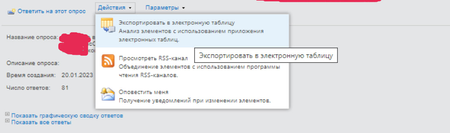
SharePoint 2013 "Export Spreadsheet" outputs in Excel only 30 rows
Hi, all! SharePoint 2013, when I click on the "Export Spreadsheet" button from the survey, the file "owssvr.iqy" is downloaded. Opening it, it opens in Excel and there are only 30 rows in the tabl...

shmowlana
Oct 25, 2023Copper Contributor
If modifying the "owssvr.iqy" to set the RowLimit method does not work..
Run a PnP PowerShell script to update the RowLimit of the default view of the survey list to 1000. This view is usually named "Overview" by default. The export to excel should then render items beyond the first 30.
#Set View Properties
Set-PnPView -List $ListName -Identity $ViewName -Values @{"RowLimit" = $RowLimit}
Value for RowLimit might have to be in UInt32 format (in case it throws an exception)
[UInt32]$RowLimit = [convert]::ToUInt32("1000")
Run a PnP PowerShell script to update the RowLimit of the default view of the survey list to 1000. This view is usually named "Overview" by default. The export to excel should then render items beyond the first 30.
#Set View Properties
Set-PnPView -List $ListName -Identity $ViewName -Values @{"RowLimit" = $RowLimit}
Value for RowLimit might have to be in UInt32 format (in case it throws an exception)
[UInt32]$RowLimit = [convert]::ToUInt32("1000")