Forum Discussion

Set Default Sharing to "People with Existing Access"
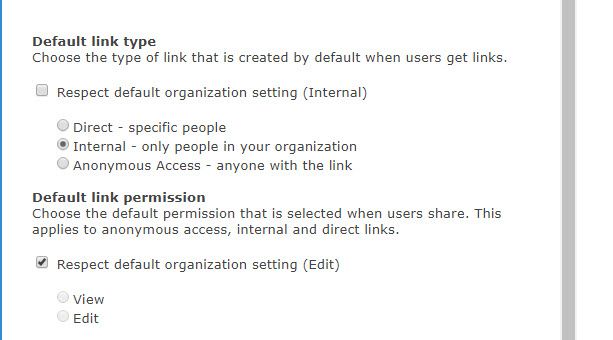
- Jan 09, 2019
Hi Gilbert Okello,
We do not support setting the default to people with existing access. When the default link is not available, we set the default to the next supported default link (which in the case above, is specific people). If this is a capability you're interested, I'd suggest submitting this to onedrive.uservoice.com to help us prioritize the work. Thanks!
Stephen Rice
OneDrive Program Manager II

 Microsoft
Robin Nilsson, ouch, good luck!
Worth noting that we just finished rolling out the UI for this feature in the modern SharePoint Admin Center so you can do this without powershell. You just need to go into the modern experience, select a site, and then open the sharing panel. Thanks!
Stephen Rice
Senior Program Manager, OneDrive

Wow even better! And can do it for multi sites at a time (oops, edited to add that those sharing selections aren't on bulk edit)... Never did get the PS to work for group sites even after I set up my Surface Pro X to do all this stuff bypassing our internal proxy/firewalls/whatever, so this is *purfect* timing!
 DanielClaassenJun 29, 2023Brass ContributorSame here. Is there maybe a PowerShell that can loop through all sites?
Did you get a solution?- JulieReutBierJan 14, 2022Brass Contributor
I am reading through the thread and adding my support that "People with Existing Access" should be able to be configured as an organization wide setting. Is there documentation on expanding the command to iterate?
- StephenRiceDec 01, 2020
dgr4it, totally agree! Just wanted to call it out as the best option available today. We'll keep watching for feedback here (and via other channels) to help inform future release. This is a good candidate to submit over at onedrive.uservoice.com as well! Thanks!
Stephen Rice
Senior Program Manager, OneDrive
- dgr4itNov 30, 2020Iron ContributorI got it about the iteration with Powe Shell but, wouldn't you agree with me that's not something you'd like to do in a tenant with over 95 thousand teams and growing? (we do not restrict users capability to create them at this point).
- StephenRiceNov 30, 2020
Thanks for the feedback dgr4it !
This is still one we're keeping an eye on and are open to changing in the future. You also should be able to do this via PowerShell (Set-SPOSite) & iterate through sites that way (Still not as good as a single switch I know, but at least a solution). Thanks!
Stephen Rice
Senior Program Manager, OneDrive
- dgr4itNov 27, 2020Iron Contributor
StephenRice
I just went through the whole thread as my org (x10.000 users) is finally adopting O365.I was both :
- pleased to see the evolution from the original issue,
- but still disappointed not to have this setting available organization wide.
For us, it is a no-brainer that's the one we want to default to, and having already over 90k teams created and growing, going to change the sharing properties of every site our employees can create is not really an option. Though I would welcome any advice if there is a way to automate such process.
So anyway, just adding my +1 for all that want this to be available org-wide.Being able to do it through PowerShell would be just fine (although a GUI change is always welcome).
Thank you in advance.
- StephenRiceApr 14, 2020
My pleasure!
Stephen
- Dorje-McKinnonApr 14, 2020Iron Contributor
StephenRice thanks so much for being really responsive and answering our questions here.
Really appreciated, here in the South Pacific 🙂
Dorje
- StephenRiceApr 14, 2020
Robin Nilsson, glad you were able to get it to work! Unfortunately we don't have bulk editing support for this particular setting yet!
Michael Rennie, the easiest way to change this for multiple site sis via the SharePoint Online Management Shell. The UI is only able to do this on one site at a time right now.
Frank McDermott, thanks for the feedback! We are starting with only allowing this to be set on a per-site basis but we'll continue to watch for additional feedback and explore adding it to the organization level in the future. Thanks!
Stephen Rice
Senior Program Manager, OneDrive
 Michael RennieApr 14, 2020Brass Contributor
Robin Nilsson How do you change the sharing for multiple sites at the same time? I have to go into each site individually and uncheck "Same as organizational-level setting (Specific people)" and then check "People with existing access"


