Forum Discussion

Seriously: Do Microsoft's developers ever test their SharePoint dialogs?
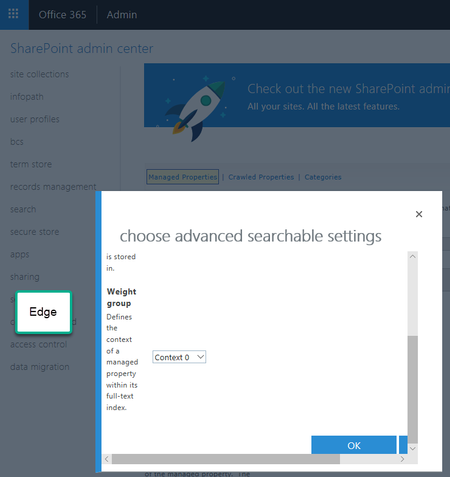

Yeah, I went from 2010 on-prem to SOL in one big leap. I missed the whole 2013 party.
Can anyone provide a rationale for this broken UI? Especially if it's been around for over half a decade?

Agreed, it doesn't look great but I would think it's just a remnant of SharePoint's past that hasn't yet been updated. It is probably considered a low impact issue that may get modernised over time or it could be one of those settings that gets left in the 'Classic SharePoint admin center' indefinitely. I wouldn't call it a broken UI, it's just not particularly elegant but it is functional enough that it can be used for the purpose it was originally designed for.
- Feb 20, 2019
Let's agree to disagree about the "broken UI".
The functionality of the site is not broken. You can still tick the boxes and click the buttons. True.
But the UI is a slap in the face of anyone who has ever tried to create a user experience that is more than just functional. This should never have been released in the first place. Just my opinion.
- Cian AllnerFeb 20, 2019Silver Contributor
That's fair enough, it's clearly not in keeping with the modern SharePoint experience but you find pockets of older code, UI elements, functions that stay around for longer than they probably should on occasion. I wouldn't call it a defect as such, it's just been left behind and could do with a refresh for sure but that's all it is, in my opinion.
It took Microsoft something like fifteen years to fully https://arstechnica.com/gadgets/2018/01/the-fonts-control-panel-is-the-next-to-get-modernized-in-windows-10 the Fonts options in Windows but they did do it eventually and these things can take time. We are into less than three years of the modernization era of SharePoint and amazing progress has been made but it is ongoing.