Forum Discussion

"Require Content approval" is not working on modern pages inside the "Site pages" library
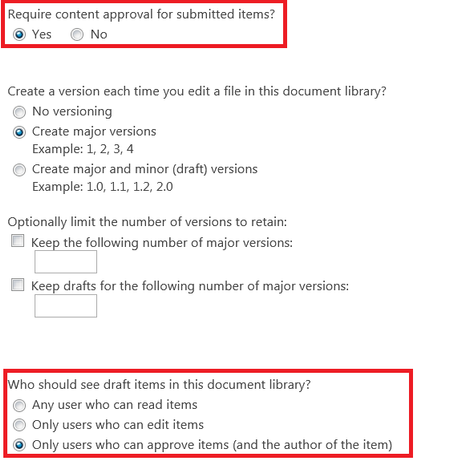


Eva Vogel wrote:
Hello, maybe there is some trouble in different inherited permission rules. Please check, if someone has different permission settings in some files... the mess starts when one file is shared by many accounts, who haven’t the same permission levels in this library. And so on...
now if i check the page permission, and it inherit the permission from the "site pages" library,, and the site admin is being shown inside the shared with. but the site admin can not view this page, as it is in draft or in pending status, and these draft/pending pages can ONLY not be viewed by the author.
so seems to me modern pages does not respect any setting inside the "site pages" library, also the "Submit for approval" button which will be shown when we enable the "Require content approval", doe snot have any effect, and when the user click on this button, nothing will mainly happen, and the button will still be shown as is..
- Eva VogelJan 11, 2019Steel ContributorAnd can you see this page s you are the website collection admin or SharePoint Admin? See my screenshot to set back the draft.
Or: go to the Version history of the Problem page in the page Library and set it back to a previous one...- john johnJan 11, 2019Steel Contributor
Eva Vogel wrote:
And can you see this page s you are the website collection admin or SharePoint Admin? See my screenshot to set back the draft.
Or: go to the Version history of the Problem page in the page Library and set it back to a previous one...Thanks for the reply. now i am the sharepoint admin, global admin, site collection admin + i am inside the site owner group. and i can NOT see others modern pages that have been saved as draft using this button:-
also from the screen shot you provided i can see that you are using the classic interface (classic page), while my problem is regarding modern pages. and in all cases i can not restore previous version of the page, as draft pages will have version =1, so there is not any previous versions. i hope this explain my case.
