Forum Discussion

regarding pending status showing on SharePoint online
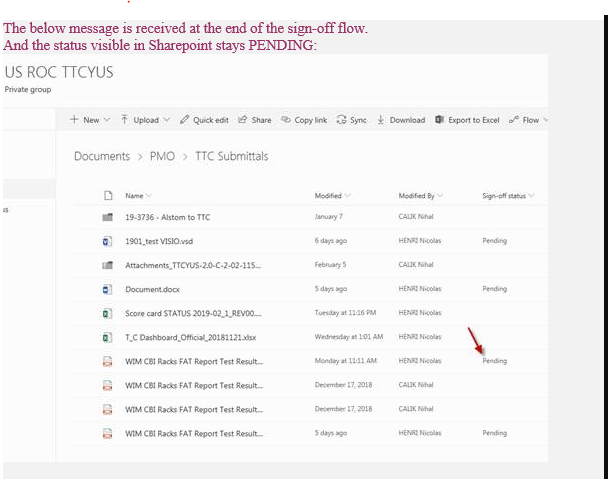

Thanks for the update.
I have clicked on the Request Sign-Off button but nothing can work out. Please help me out on it.
Regards,
Reena Roy

What exactly are you trying to achieve?
Please provide more information.
Kind Regards
- reenaroycsFeb 27, 2019Brass ContributorHello Alex,
Actually when user will click on Request sign off option, receives notification email, when he is approving the request for any doc then sign off status does not changes and its showing pending. For your reference have attached the screenshot earlier.. So needs to know how the status will change from pending to approved.
Please update me asap.
Regards,
Reena Roy- NotAlexMar 04, 2019Iron Contributor
Hi Reena
Please note this is a community forum, so people contribute when they have time. It is not Microsoft support.
This seems to be a flow issue
- check the person running the flow "sign off" process has contribute permissions to the list
- Check the person assigned to approve the flow has actually approved it by going to -> Flow -> approvals on their user account.
- Check no one had the document open when the document was approved as this would block the update of the field
Test the above by requesting sign off to yourself and see if the field gets updated
If the above does not work
Head over to the Microsoft flow community and ask for help their, someone will look into it.
Here is the same issue in the flow community https://powerusers.microsoft.com/t5/General-Flow-Discussion/Sign-Off-Column-Doesn-t-update/m-p/165321#M16477
Cheers
Alex