Forum Discussion

 Microsoft
UPDATE: Support for Structured/Managed Navigation enabled on Modern Pages in Classic Team Sites
 Microsoft
ssquires Perhaps it's just me, but I still see the same problems with Global navigation (Publishing turned on, using Managed Navigation (term set under the Site Collection tree), with a simple custom CSS to outline the drop-down boxes and shade them light blue on hover-over) that I've seen in the past when viewed from a Modern Document Library. It works fine when viewed from a classic page.
Viewed from classic (home page of "Sync Client Test Site" site collection):
Seen from a Modern Document Library:
In the Modern view, there are no Level 3 flyouts, no observation of the custom CSS, and all the underlying links are wrong: they all omit the "/sites/synctest/" portion of the URL (i.e., the portion that specifies the site collection home). The only link that works is the default icon that takes you to the Home of the site. In the classic view, all the links work as expected.
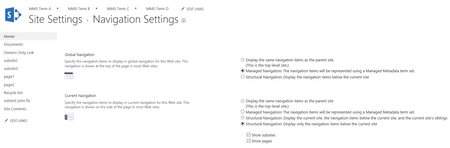
If I look at /sites/synctest/_layouts/15/topnav.aspx, there is only one link there, "Home", and it links to "/sites/synctest". Surely we're not supposed to have to edit that page on every site we've ever created to rebuild our navigation? Here's what my term store entry looks like:
Any ideas? Thanks!
Richard