Forum Discussion

t_bara
May 19, 2021Copper Contributor
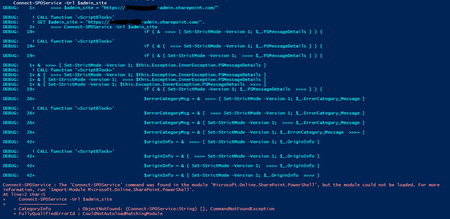
The 'Connect-SPOService' command was found in the module, but the module could not be loaded.
I need to use Microsoft.SharePoint.Client.dll and Microsoft.SharePoint.Client.Runtime.dll to load and query SharePoint lists. First I need to Connect-SPOService. Before I install the client component...

Dec 08, 2021
Hello, Do you have client components too?
"There is a known issue between the SharePoint Online Management Shell module and SharePoint Client Components SDK where the module will fail to load if both are installed on the same computer. If you encounter this issue, uninstall the SharePoint Client Components SDK."
https://docs.microsoft.com/en-us/powershell/sharepoint/sharepoint-online/connect-sharepoint-online
"There is a known issue between the SharePoint Online Management Shell module and SharePoint Client Components SDK where the module will fail to load if both are installed on the same computer. If you encounter this issue, uninstall the SharePoint Client Components SDK."
https://docs.microsoft.com/en-us/powershell/sharepoint/sharepoint-online/connect-sharepoint-online

CooperAdmin
Oct 22, 2024Brass Contributor
Good catch. I installed this the other day for reasons I can't recall, and was suddenly unable to get SharePoint Online Management working in PowerShell today. I was beginning to think I was going crazy.
It's insane that it's been almost 3 years since this was posted and Microsoft STILL hasn't fixed it.