Forum Discussion

Sinan621
Mar 02, 2020Copper Contributor
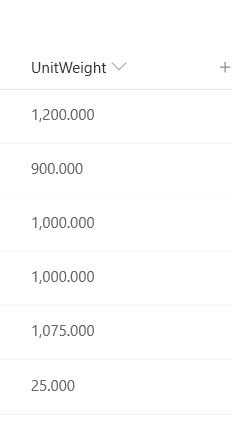
Sharepoint Online, number column NOT aligned right
Hello, i have a sharepoint online custom list with number column(s) with decimals and thousands separator. As far as I understand, numbers should be aligned right by default? However in my c...
 Mar 04, 2020
Yes, you need to replace the formula:
=TEXT([Column],"###,###.00")
This type of modification doesn’t have any impact on the original column
Thanks
FabioO365GoD
Mar 03, 2020Brass Contributor
Hi
Default Sharepoint aligns left!
If you want to align the text to the right, you should copy the following code and paste it in the
JSON Formatting to Customize
{
"$schema": "https://developer.microsoft.com/json-schemas/sp/column-formatting.schema.json",
"elmType": "div",
"style": {
"display": "table",
"width": "100%"
},
"children": [
{
"elmType": "div",
"txtContent": "@currentField",
"style": {
"display": "table-cell",
"text-align": "right",
"vertical-align": "middle"
}
}
]
}
Thanks