Forum Discussion

Eric LE CORRE
May 15, 2018Brass Contributor
Question about webpart Hero
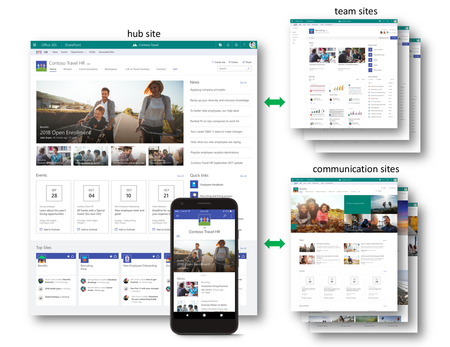
Hello and sorry for my English; in this screen from Microsoft, there is the webpart hero who is nice. In my hub site, i added the webpart hero but there is not like that with one new in top. i t...

Anonymous
May 15, 2018Not applicable
That actually isn't a hero web part alone, they used 3 web parts and a layout to achieve that.
So to get that, add a layout with 2 columns, larger column left, small right.
Insert a Hero web part and change the settings to single item. Then add a image gallery underneath of it, and in that case looks like 4:3 ration setting with 4 item limit.
Then on the right column, insert a news web part to achieve the news.
Here is a quick and dirty of how it looks in editor
 Eric LE CORREMay 15, 2018Brass Contributor
thanks
and how they do to use full page when they add WebParts. On my page i have margin (i Don't if the traduction is good) in left and right.
- AnonymousMay 15, 2018Not applicableBy Shrinking your browser window :P.
- Eric LE CORREMay 15, 2018Brass Contributor
just that :-)
why is not possible to ajust with high resolution ?!