Forum Discussion

Planner Web Part Issues
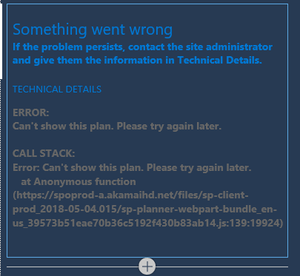

I have noticed some oddities around the new web parts recently released, as well. Some sites seem to get them, some don't; and some pages within the site don't always get them even if other pages do. Here's the workaround that seems to fix most of those problems:
1. Make sure you've created AND PUBLISHED at least one other site page (not just editing the default home page). This seems to provision all the extra web parts that have been released since the initial roll out of modern site experiences. Once you've publish any other page, magically those newer web parts will be available on all your other pages.
2. Try editing your page in another browser. I still use IE to work with some other (old) SharePoint sites, and I find that I have a lot of flakiness in the modern experience in IE. Sometimes Edge works better, sometimes Chrome works better, Firefox has been hit or miss - but all three of those alternatives work better than IE (I know, not shocking).
 ChrisFicekMay 23, 2018Iron Contributor
Hi Adrienne,
Thank you for the reply. I've attempted to use the workarounds and none of them seem to work in our case as I had hoped. This is a very strange case.
 j1mmy0Feb 19, 2019Copper Contributor
Hi,
Did you ever get a resolution to this?
Thanks
- ChrisFicekFeb 19, 2019Iron Contributor
Hi J1mmy0 -- I tried re-adding the web part a few weeks ago but it was learned that the permission issues was the problem in our case. Check and see if you have access to Planner. If not, request to be added as a member/owner of the group. Hope this helps.