Forum Discussion

krow1138
Aug 03, 2026Copper Contributor
New Navigation Menu
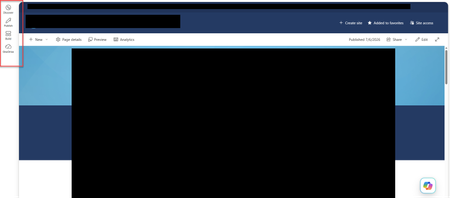
How does the new "Navigation Side Bar" get turned off on a site level? SharePoint without our authorization just rolled out a new feature to all our SharePoint sites. The organization defaults the ...

AveryMorgan200
Aug 04, 2026Tin Contributor
The left-hand bar in the screenshot is part of the new SharePoint experience, not the site’s normal navigation menu. There is currently no supported switch to remove it from one individual site.
The Global navigation setting mentioned in the documentation is for configuring tenant-wide navigation and may not appear on every site. It does not provide a per-site opt-out for the Discover, Publish, Build, and OneDrive rail shown here.
A SharePoint administrator can check the SharePoint admin center for the tenant-level New SharePoint experience rollout setting. If no opt-out is available there, the practical option is to submit feedback and open a Microsoft support case, as site owners cannot disable this sidebar themselves.