Forum Discussion

MS List - View a list of columns, including internal column name and column alias
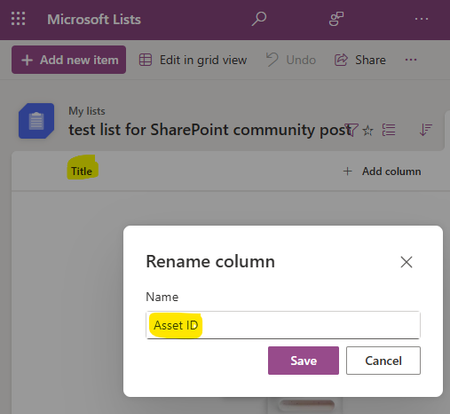

The screenshot shows a renamed SharePoint column: “Asset ID” is the user-facing display name, while “Title” remains the stable API-facing internal name. Renaming a column changes what Microsoft Lists displays but does not rename that internal identifier. Lists does not provide a built-in grid that shows both values for every column. The supported way to produce one is Microsoft Graph: request the list’s columns collection with GET /sites/{site-id}/lists/{list-id}/columns, then export each returned object’s name and displayName properties. The name value is what list-item field APIs use; displayName is the label users see. Include hidden in the selected properties if you also need system columns. For occasional inspection, List settings can show the display name and the selected column’s settings, but Graph is more reliable for a complete inventory. Keep integrations mapped to name, because displayName can be changed again without warning.