Forum Discussion

Modern team site - How to set Root Site Collection to modern Team Site

That's because of the publishing feature. I can create modern pages on any site as long as publishing is not active.

Thank you for your replies.
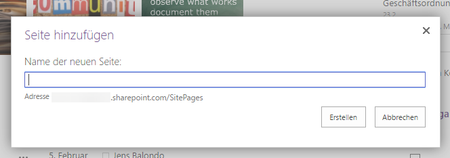
Both suggestions were also my guess as I describe in my first post. So I deactivated the publishing feature. My Navigation from my Termstore does not displayed anymore and all my libraries and lists changed back to classic design. (I've set them to mordern experience before). The option to create modern "Sites Page" still not an option from the sites pages library.
I deactivate the publishing feature and activate the Site Pages feature:
Then I open the site pages library:
Even though I set in my O365 to modern experience all my libraries and lists have the classic view.
So I manually set to modern experience in the library settings:
Of course the option to create a modern site page still not there but at least I've got the modern experience in this library.
Following questions remain open:
- So I can not use modern experience with publishing feature and also managed term store navigation?
- How can I use modern experience in my root site collection? (To create a mordern site page from the page library and set it as my startpage)
- Mar 19, 2017I'm also seeing this and It could be intencional or just that someone forgot about it that we cannot create modern SPO pages in this root site collection
- Mar 20, 2017
Hmm...no matter if I have publishing enabled/disabled or site pages enabled/disabled I still get the option to create a new "Site Page" in the root site collection in my primary tenant.
- Jens Christian BalondoMar 20, 2017Copper Contributor
You're right. Two tenants, same features (Site Features and Site Collection Features) but .. confused.

