Forum Discussion

Jens Christian Balondo
Mar 18, 2017Copper Contributor
Modern team site - How to set Root Site Collection to modern Team Site
Hello, in the SP Admin center I already set set the new experience. And if I create a new Site Collection the design gives my also the modern team sites. But how can I set my root site collec...

Jens Christian Balondo
Mar 18, 2017Copper Contributor
Hi Juan,
I can create modern Teamsites. But only from any other Site Collection under Root.
How can I check that I'm inside the First Release?
I can create modern Teamsites. But only from any other Site Collection under Root.
How can I check that I'm inside the First Release?

Mar 18, 2017
You can check in the Office 365 Admin Portal: Configuration setion -> Organization profile -> Release preferences
- Jens Christian BalondoMar 18, 2017Copper Contributor
The first release preferences is set to everyone. As I mentioned I've got the modern pages in all new team sites but not in my root (except libraries and lists).
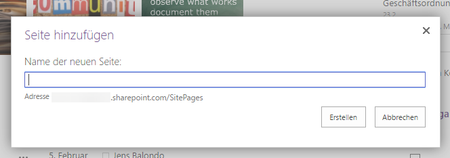
https://tenant.sharepoint.com/SitePages/new_page.aspx -> Old pages
https://tenant.sharepoint.com/sites/new_site/SitePages/new_page.aspx -> Modern pages
https://tenant.sharepoint.com/sites/new_site2/SitePages/new_page.aspx -> Modern pages
- Mar 19, 2017
Activate the "Site Pages" site feature and then navigate to your site pages library, use the drop down menu for new and create a new "Site Page".
