Forum Discussion

List Style in Modern experience not working
- Dec 11, 2019
yuyitax sorry the JSON code got changed during the copy and paste, hopefully now corrected. The code is:
{
"$schema":
"https://developer.microsoft.com/json-schemas/sp/column-formatting.schema.json",
"elmType": "div",
"debugMode": true,
"txtContent": "@currentField",
"style": {
"color": "#0000ff"
}
}Rob
Los Gallardos
Microsoft Power Automate Community Super User

Hi Rob,
Thank you for your fast help. I tried using the blue shade code that you share but i get an error that says to use a valid column-formatting JSON. Any idea why?

yuyitax sorry the JSON code got changed during the copy and paste, hopefully now corrected. The code is:
{
"$schema":
"https://developer.microsoft.com/json-schemas/sp/column-formatting.schema.json",
"elmType": "div",
"debugMode": true,
"txtContent": "@currentField",
"style": {
"color": "#0000ff"
}
}
Rob
Los Gallardos
Microsoft Power Automate Community Super User
- yuyitaxDec 11, 2019Copper Contributor
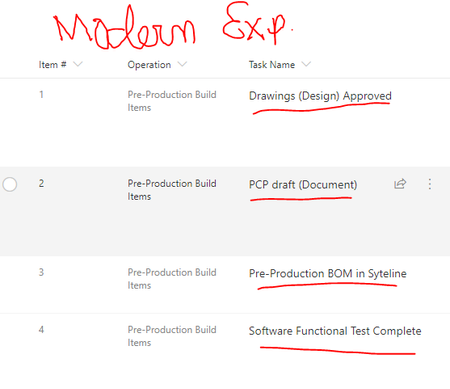
Thank you Rob that did fix the link coloring, but now they are not clickable, meaning they do not link to their corresponding list item.
- RobElliottDec 11, 2019Silver Contributor
yuyitax although Microsoft say that the Title column does support column formatting, there does seem to be a problem with that. I've only ever used it on other columns.
Rob
Los Gallardos
Microsoft Power Automate Community Super User- yuyitaxDec 11, 2019Copper Contributor
Thank you for your help with this! RobElliott