Forum Discussion

Issues with SharePoint File Viewer
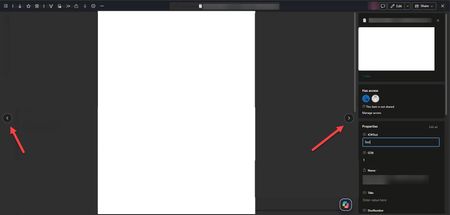

Until Microsoft fixes the viewer state, the least disruptive workaround is to stop editing metadata inside the File Viewer. Return to the library, use Edit in grid view or the library details pane to change the columns, save the row, and then open the document for viewing. That keeps navigation and metadata editing in separate page states, so the viewer does not have to rebuild its filtered result set after every change.
For the support case, test one clean library with three files and one view whose filter depends on the edited column. Record whether the arrows disappear when the edit causes the current file to leave the view, when it remains in the view, or in both cases. Include the view URL, column type, browser version, UTC time, and the page correlation ID.
If the arrow disappears, close the viewer and reopen the current view rather than using Back repeatedly. The reports from several tenants make a local browser repair unlikely; a minimal filtered-view reproduction should help Microsoft identify whether the regression is in result-set refresh or the viewer navigation control.