Forum Discussion

Invoke-SPOSiteSwap Issues
- Aug 07, 2020
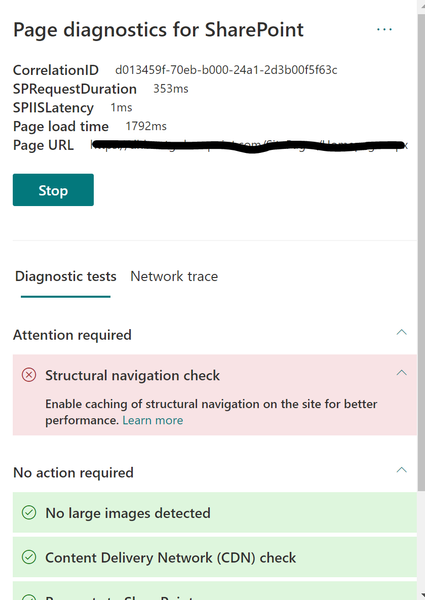
I had the same issue, contacted MSFT Support, but they did not have any solution available. I went and solved it myself. Apparently for large organisations (10000+ seats) you'll have to use the page diagnostic tool which works for Edge and Chrome. I don't understand how this plugin communicates its findings back to Powershell, but apparently it does. Although I solved all the errors the diagnostic tool showed me the first few times I kept getting the same error in PS. What I did was the following:
1) Created a blank page on the classic teamsite (current root) and promoted that to Start Page
2) Created a blank page on the Communication Site (new to be root) and promoted that to Start Page
3) Reran the Page Diagnostic Tool on both site collection homepages (both old an new)
4) Relaunched my PowerShell session and executed the command (with -force and -nowait parameters)
5) Worked!
For some reason the new or old web parts on homepages block the siteswap from happening, but nobody knows what exactly goes wrong. Hope this helps.

Jan_Hummelman I know it's been 2 years since the last posts but I wanted to confirm that these steps worked for me to eliminate the page diagnostics errors that I fixed but wouldn't go away. However, the powershell script still gave me an error: stating that the archive URL was already in use. So I went through SP Admin Center, selected all sites, sorted A-Z and clicked in the ... to replace site. Then it allowed me to add the new site URL and save. So adding the blank pages to the old and new sites worked. Thank you!
