Forum Discussion

CIManager_0102
Mar 23, 2026Copper Contributor
ID Calculated Column Not Showing
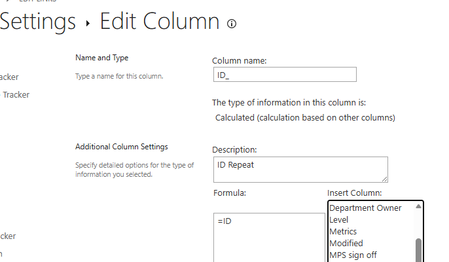
I have created a calculated column to show the ID in an opened List item. This is using =ID in the formula box. However, in the actual List item, the vasty majority are showing ID as 0: Th...

virendrak
Aug 31, 2026Steel Contributor
If your requirement is simply to display the Item ID on the list's Edit form, you can use JSON form formatting instead of creating a separate lookup column.
Add the JSON under Configure layout > Header. This is a simpler approach and avoids adding unnecessary columns to the list
{
    "$schema": "https://developer.microsoft.com/json-schemas/sp/v2/column-formatting.schema.json",
    "elmType": "div",
    "style": {
        "margin": "10px",
        "padding": "8px 12px",
        "border-radius": "4px",
        "border": "=if([$ID] == '', '1px solid #ffb900', '1px solid #c7e0f4')",
        "background-color": "=if([$ID] == '', '#fff4ce', '#f3f9fd')"
    },
    "children": [
        {
            "elmType": "div",
            "style": {
                "font-weight": "400",
                "color": "=if([$ID] == '', '#8a6d00', '#005a9e')"
            },
            "txtContent": "=if([$ID] == '', '⚠ Item ID will be generated after the item is created and will be visible in Edit mode.', 'Item ID: ' + [$ID])"
        }
    ]
}
 CIManager_0102Sep 02, 2026Copper Contributor
Thank you, that seems to work for the main window. However, I'm looking for a solution to show the ID when the list item is opened. This solution does not appear to have affected that.
- virendrakSep 02, 2026Steel Contributor
The solution I provided will work once the list item has been created and opened in Edit mode / view mode.
When you click on +New
When you click on existing item:
You can include ID column in list view as well, when click on details of item the ID will be visible.