Forum Discussion

Hub site search is not searching all associated sites
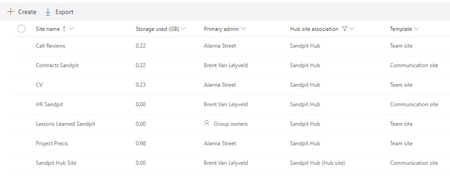


In my experience it took a day or two before documents on associated sites started showing up in the search results at the hub site when using a browser. The thing that was throwing me off was that in the iOS SharePoint app, documents from associated sites showed up right away in the search results at the hub site.
 garyhenderson18May 28, 2019Copper Contributor
Greg Verbarendse It also works on the Android Sharepoint App so is very strange that it doesnt work on the browser; You would expect both to be pulling from the same data source and therefore to return the same info. Will try again later in the week and see if it is simply an indexing issue.
- garyhenderson18Jun 10, 2019Copper Contributor
@Greg Verbarendse Have given this almost a week and still am unable to search and find content using the search on the hub site, looking for content in the associated site. Am owner and member of the hub and associated site. It works when search is done in sharepoint app on android plus it shows the files when I click on the "Search for aup in all content" option. Any ideas?
 James_VossJul 25, 2019Copper Contributor
garyhenderson18 I've just started testing this out myself too as a client is looking for this kind of architecture with teams instead of classic sites. I'll give it a day or two and check back to see if the content shows up.
I did try re-indexing libraries with content manually via advanced settings in the library settings but that doesn't seem to have done anything. What's strange though is there are actually a few default icons that show up from Site Assets in the search results, but nothing else.