Forum Discussion

ChristineTriB
Jul 10, 2023Copper Contributor
How to tag photos in OneDrive Premium
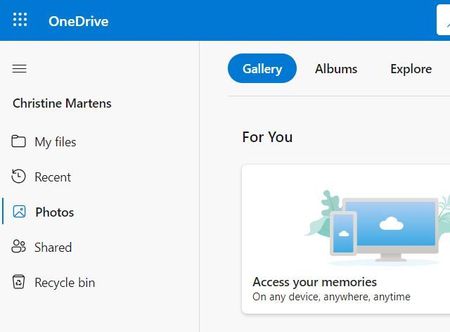
Hi, we have a brand new premium account for our sports club and we want to tag all of our photos in OneDrive to be able to find specific ones quickly. However the photos tab, that we know from our pe...

ChristineTriB
Jul 10, 2023Copper Contributor
Thanks so much for the quick response. However I don't get any option to add tags when right-clicking a photo. Could it be that my admin has to enable that option first?

H2O
Jul 10, 2023Iron Contributor
Yes, it is possible that your admin has to enable that option first. To add tags to a picture stored in OneDrive, you can follow these steps
1. Open OneDrive (web).
2. Click on Photos from the left pane.
3. Check the image to edit its tags.
4. Click the Edit tags option from the command bar.
5. Confirm the new tag in the “Add tag” box and press Enter.
Alternatively, you can open any photo in OneDrive, select the ellipsis at the top and click on Edit tags. Type a new tag for the photo and press Enter, or select from one of the existing tags from the list below. If you want to remove a tag, just click on the x next to a tag.