Forum Discussion

How to remove Modified in my Tiles (Modern Site)
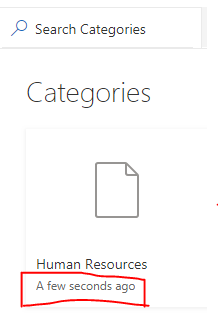

LandinLakesI was able to do it by opening the site in SharePoint Designer 2013.
With the site open, go to Lists and Libraries in the upper left corner.
Find the list you wish to modify and in the right pane click on the Tiles View (Default).
In the "View" tag under the "XMLDefinition" tag, find the entry for <FieldRef Name="Modified" Ascending="FALSE"/> and remove it.
Save your site and voila, the Modified date is removed from your Tiles.
Please use a demo site to check this as it has been a while since I've needed to do it.

TonyC109 even if possible using SharePoint Designer I will definitively not recommend it since it's going to be your next problem. If you create pages in SharePoint online stay away of SharePoint Designer and try to figure out a solution using out-of-the-box webpart or Microsoft Search web part.
- TonyC109Aug 06, 2020Copper Contributor
jab365cloud Why? Please explain.
Microsoft has created this issue or overlooked it when they rolled out the Modern site design.
If the solution I posted works why is it "my next problem"?
- jab365cloudSep 07, 2020Steel ContributorSharePoint designer is deprecated and will not be supported in coming years. This was the way to go couple years ago but you should avoid this. This is the official Microsoft Recommendation. « SharePoint Designer Views: If someone told you to make a View in SharePoint Designer, years ago, this was a viable tool for customizing views, but SharePoint Designer is deprecated and will be unsupported in a few years. Do not use it. ». The article is not directly related to your needs but same réflexion should be applied. Ref: https://docs.microsoft.com/en-us/microsoft-365/community/creating-useful-views-in-lists-libraries