Forum Discussion

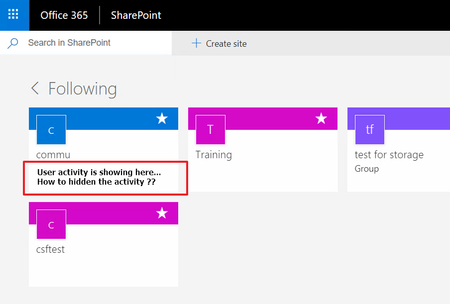
How to hidden the activities of sites that showing in the SharePoint Following page..
 DeletedMar 31, 2018
There isn't a specific button that hides a site activity from the SharePoint home page.
As a workaround, hiding your document library from search results will also block recent activity from it to show up in the SharePoint home page. However, doing this means that your document library files also won't show up in search results.
To do this, you may go to your Document Library Settings where your file resides > Advanced Settings > Allow items from this document library to appear in search results?
Set it to No.
Note: This option should take a few hours to be active.

Goodbye tech community....
- DeletedMar 31, 2018Not applicable
There isn't a specific button that hides a site activity from the SharePoint home page.
As a workaround, hiding your document library from search results will also block recent activity from it to show up in the SharePoint home page. However, doing this means that your document library files also won't show up in search results.
To do this, you may go to your Document Library Settings where your file resides > Advanced Settings > Allow items from this document library to appear in search results?
Set it to No.
Note: This option should take a few hours to be active.