Forum Discussion

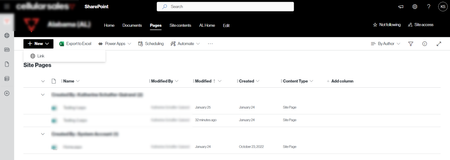
How to get a custom Site Page content type to show in the Site Pages Library New dropdown?
- Mar 18, 2024
Hello DaveMehr365
I did figure out what was causing the issue.
In the SharePoint Admin Center under Settings, you have to check the "Allow users to create new modern pages" checkbox for the Pages settings. Once you check this box, the Content Type will show in the New drop-down on the Site Pages library where it has been added.
I updated this setting in my dev tenant, but haven't updated my prod tenant (still have to go through the change management process).


I have this same issue, but have the "Allow users to create new modern pages" checkbox checked...so I'm not sure what is causing the issue. I have also enabled the "Allow Custom Type Management" for the Library and have ensured that the custom content types I've created are based off the "Document" Default Content Type. Any ideas/help welcome!