Forum Discussion

How do I get quick actions to show up in Gallery view for a list?
- Jul 08, 2026
I think it's failing because Actions is not a Person field, so @currentField refers to the Actions column itself and has no email property.
Can you please try to add...
"href": "='mailto:' + [$Contact.email]"

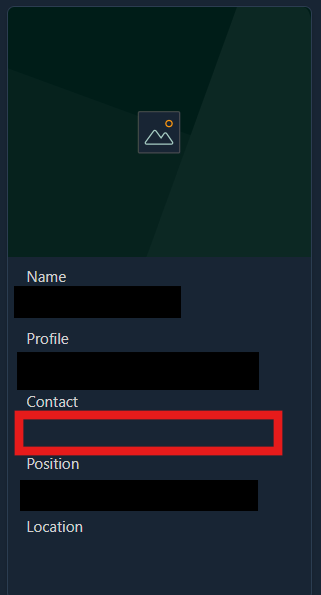
Thank you, and apologies for the late response. I did some research and was able to add a button with a link. However, when I try attaching a mailto link ("'mailto:' + [@currentField.email]"), the entire gallery disappears. Note: I added a new field "Actions" to test out custom formatting with, that's why it's under Actions instead of Contact now.
This is the JSON I added:
    {
      "elmType": "a",
      "txtContent": "Email",
      "attributes": {
        "class": "sp-card-defaultClickButton",
        "role": "presentation",
        "target": "_blank",
        "href": "='mailto:' + [currentField.email]"
      },
      "style": {
        "padding": "5px",
        "height": "20px",
        "margin-right": "3px",
        "margin-botton": "3px",
        "font-size": "15px",
        "border-radius": "2px",
        "border": "none",
        "font-weight": "600",
        "background-color": "#0078d4",
        "cursor": "pointer",
        "color": "white",
        "text-decoration": "none",
        "text-align": "center",
        "width": "40px"
      }
    }

I think it's failing because Actions is not a Person field, so @currentField refers to the Actions column itself and has no email property.
Can you please try to add...
"href": "='mailto:' + [$Contact.email]"
- Stephen-14853Jul 08, 2026Tin Contributor
This worked! My Person field is named Teams so I used [$Teams.email] instead, but this worked perfectly.
In case anyone was wondering, I also made a button that opens a new teams chat with a given person. It has the same JSON except for the href:
"attributes": {
     "href": "='https://teams.microsoft.com/l/chat/0/0?users=' + [$Teams.email]",
     "target": "_blank"
},
Thank you so much!