Forum Discussion

Nov 17, 2016
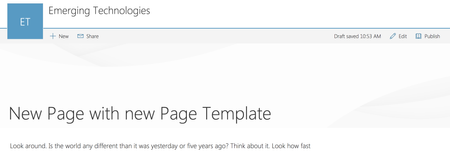
Header area for Modern Pages
Why is the header so tall and empty? I know that with Delve blogs there is place for a background image and in fact is sort of expected. But I don't see the same facility for SP Modern Pages. Am...

Stephan Swinford
Mar 24, 2017Iron Contributor
I'll post my own workaround, too. I discovered this one while trying to 'convert' some sites from classic to modern. I wanted them to have a page with the homepage layout that doesn't have any banner.
First, go to the Site Pages library and download any of the modern pages. Next, open SP Designer, open Site Pages, then create a new ASPX and edit it in Advanced Mode.
Open up the page you downloaded into a text editor, such as Notepad, and copy everything. Back in Designer, replace the default ASPX code with your modern page code you just copied. Look for "<mso:PageLayoutType" and change it from "Article" to "Home". While you're here, you may see BannerImageURL. It doesn't appear to change anything at this time, so don't bother with it.
Save your page and then open it in a browser and you should have a new 'home' page.
First, go to the Site Pages library and download any of the modern pages. Next, open SP Designer, open Site Pages, then create a new ASPX and edit it in Advanced Mode.
Open up the page you downloaded into a text editor, such as Notepad, and copy everything. Back in Designer, replace the default ASPX code with your modern page code you just copied. Look for "<mso:PageLayoutType" and change it from "Article" to "Home". While you're here, you may see BannerImageURL. It doesn't appear to change anything at this time, so don't bother with it.
Save your page and then open it in a browser and you should have a new 'home' page.

Deleted
Jul 31, 2017Stephan,
Thanks this worked great.
Thanks this worked great.