Forum Discussion

Nov 17, 2016
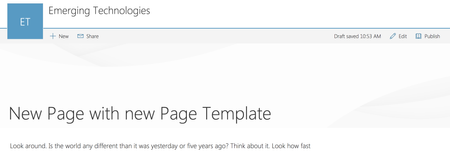
Header area for Modern Pages
Why is the header so tall and empty? I know that with Delve blogs there is place for a background image and in fact is sort of expected. But I don't see the same facility for SP Modern Pages. Am...

Miroslav Vacura
Jun 06, 2017Copper Contributor
You can also use Powershell
1. Connect to the site:
Connect-PnPOnline https://tenant.sharepoint.com/sites/portal
2. List all pages, and find the id of the modern page:
Get-PnPListItem -List SitePages
3. Change layout from "Article" to "Home" to remove large top banner:
Set-PnPListItem -List SitePages -Identity <id> -Values @{"PageLayoutType"="Home"}
Mihir Yelamanchili
Nov 21, 2018Brass Contributor
Thanks this worked.