Forum Discussion

Nov 17, 2016
Header area for Modern Pages
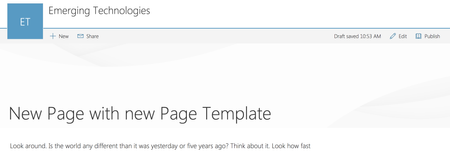
Why is the header so tall and empty? I know that with Delve blogs there is place for a background image and in fact is sort of expected. But I don't see the same facility for SP Modern Pages. Am...

基樹 芹沢
Nov 22, 2017Copper Contributor
I tried the powershell script to remove the header, but the 3rd script
Set-PnPListItem -List SitePages -Identity <id> -Values @{"PageLayoutType"="Home"}"
returns an error. Set-PnPListItem : Object reference not set to an instance of an object.
Also tried to modify the page code directly using SharePoint Designer, it did not work. I could not save the page, although I am the global admin of our O365 tenant.
Any special permission is required?

Joe Ayre Work
Aug 07, 2018Brass Contributor
You need to replace <id> with the id of the page you wish to change the layout of. You can get the id from the second cmd: Get-PnPListItem -List SitePages
- 基樹 芹沢Aug 07, 2018Copper ContributorThanks a lot!
Motoki