Forum Discussion

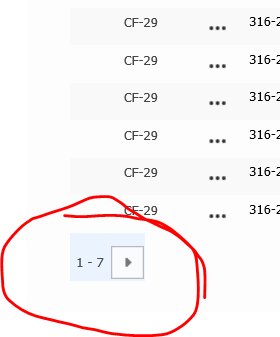
FORWARD button on SharePoint list
 Dec 01, 2020
Eva Vogel Thanks Eva. This didn't get me all the way there, but I think it helped. I EDITED the page that contained the webpart list in question. I then selected the webpart list and selected MODIFY VIEW. I set the number of items limit to 30 and saved it. I then reset the limit back to 7, and it seems to work now. Fingers crossed that it doesn't change again.

KelleyE1229 , just a few ideas on what you can do with your list.
a) Go to your View "All Items", then click on the second last option about editing your actual view.
b) In this Options page of your view you have to search for a section, in screenshot (sorry, its german) it is the item limit of shown elements "Eintragsgrenze". There you can define the number, in default it is 30 items on a list page. I guess, someone limited your shown items to 7, but only a guess.
Change this number back to 30 or something else you like to see in this view. To get your personal view in this list, go up to this options page and activate the checkpox to get your personal view. Save it.
c) you can also look at the other views and their options on that item shown number, as well! To do this you click on the gear at the top right of your List page, then to list settings - scroll down to the very last category "Views" and check all of your shown view options in here. And could be that the site owner has restricted only 7 items in this webpart shown to you and other members, if you can´t see or can´t edit this view.
Hope that helps. Otherwise there are some other restrictions your site owner made on this list and you should ask him or her to take back those restrictions. If you like my ideas on it, pls. give a Like.
Greets, Eva.

- KelleyE1229Dec 01, 2020Copper Contributor
Eva Vogel Thanks Eva. This didn't get me all the way there, but I think it helped. I EDITED the page that contained the webpart list in question. I then selected the webpart list and selected MODIFY VIEW. I set the number of items limit to 30 and saved it. I then reset the limit back to 7, and it seems to work now. Fingers crossed that it doesn't change again.
- Eva VogelDec 02, 2020Iron Contributor
KelleyE1229 Dear Kelley, great to hear this, you are satisfied with my ideas. If not, please contact me again here in this community 🙂 and have a good day!
ice-cold greetings from a snowy little village in Bavaria,
Eva