Forum Discussion

Hammad Hassan Khan
May 08, 2018Copper Contributor
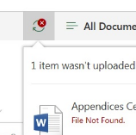
File not found error while trying to upload a file to a sharepoint site library
I have been recently getting the following error while trying to upload a file to a SP site library. "File not found". It pops up after I upload the file. Any help in this matter would be greatly ap...
 DeletedMay 08, 2018
Please try below steps
- Navigate to the Library settings
- Click Manage files which have no checked in version
- go and checkin in all the files
- Delete everything at %USERPROFILE%\AppData\Local\Microsoft\WebsiteCache
- Delete everything at %APPDATA%\Microsoft\Web Server Extensions\Cache
If it still doesn't work try to update your file name and re upload.

Hammad Hassan Khan
May 10, 2018Copper Contributor
Hey. I am a newbie in this. Cant file the adresses that you mentioned. I tried them in the file explorer after putting my userprofile. Thanks in advance!

Russell Griffith
May 10, 2018Copper Contributor
Here is what I did.
Open a command prompt and type (without quotes) `cd %USERPROFILE%\AppData\Local\Microsoft\WebsiteCache`
This will change the directory to the right directory. Then copy that Address (starting with C:\Users...) to Windows explorer to get to these files there.
Russell
- Hammad Hassan KhanMay 11, 2018Copper Contributor
I did the same thing and got this. Am I doing something wrong. I tried it with website cache and the other cache too but cudn't find the folders.
 Lourens MarxJul 12, 2018Copper Contributor
Windows + R
Paste the url from above and voila!